
Exclusive to AnteUp members

Run the numbers before you buy, build or invest. PropMetric turns your assumptions into a month-by-month forecast of cashflow, costs, tax and returns, so you can see what a property is likely to mean for your pocket before you commit.
Become a member Already a member? Open PropMetric
Memberships from $9.99 a month. Your membership tier sets which PropMetric features you can use.
What PropMetric does
An Australian property investment calculator that models a purchase from contract to sale, using the rules of the state or territory you are buying in.
Cashflow forecasts
Rent, vacancy, property costs, interest and tax, month by month from settlement to sale. See what you would put in, or take out, each year.
Stamp duty and purchase costs
Transfer duty, registration fees and settlement costs for every Australian state and territory, plus the cash you need to settle.
Loan modelling
Repayments, interest and the balance over time, with interest-only periods, offset and extra repayments.
Tax estimates
Indicative income tax, deductions, negative gearing, land tax and capital gains on sale, by financial year.
Returns and exit
Rental yield, equity, return on equity and annualised return (IRR), and what you would walk away with after selling.
Development and commercial
Development and subdivision feasibility, and commercial property analysis using cap rates and tenancy schedules.
A look inside
Screens from PropMetric, using its example Melbourne investment house. Every figure updates as soon as you change an assumption.
Overview
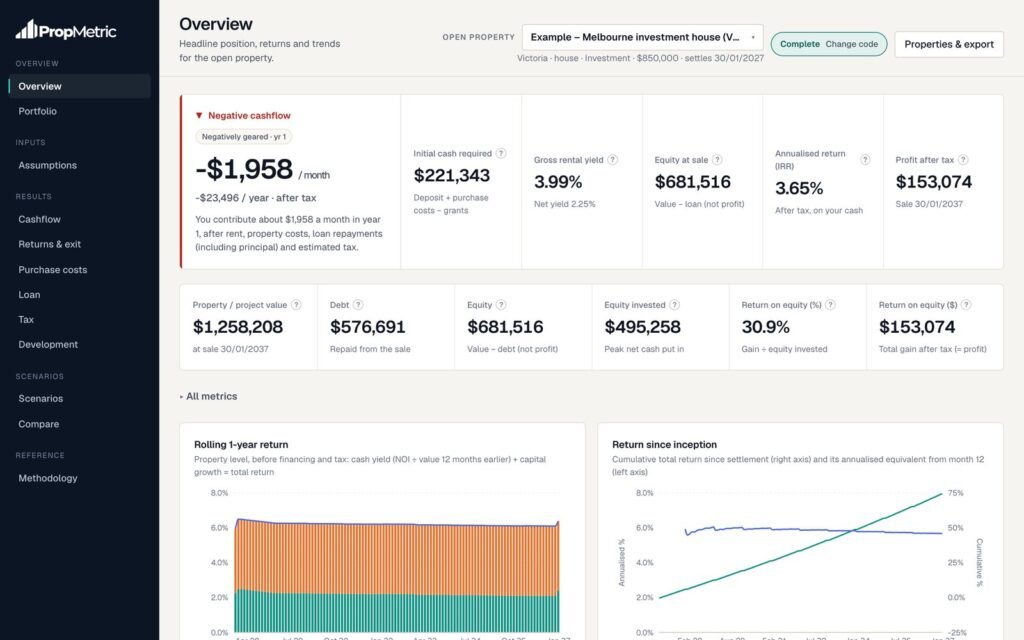
Your position at a glance
Monthly cashflow after tax, the cash needed to buy, rental yield, equity at sale and your annualised return, with trends over the life of the investment.
Cashflow
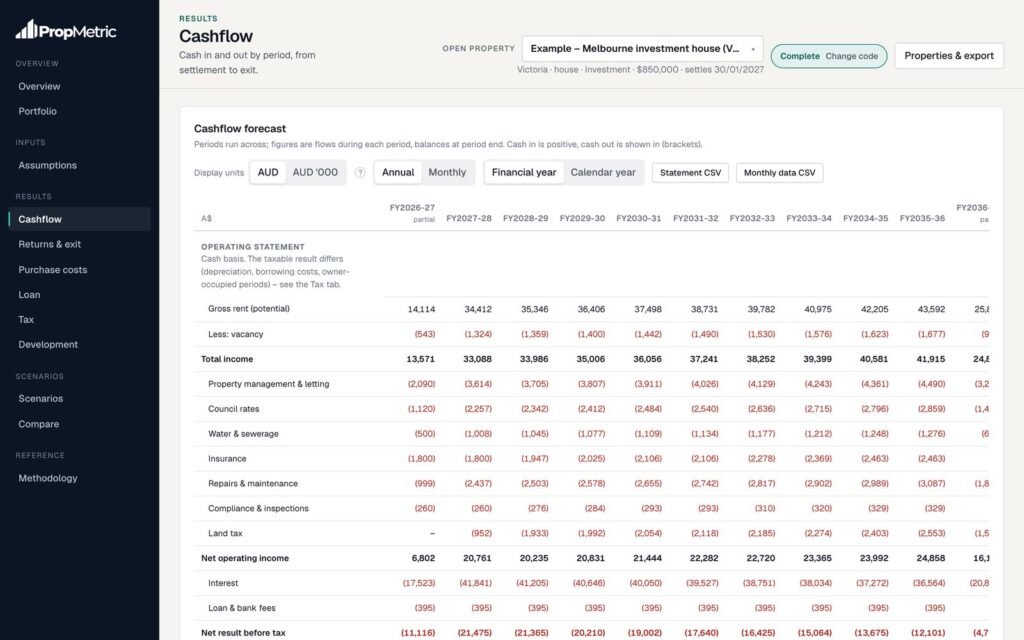
Every dollar in and out
A full statement by financial or calendar year, or month by month: rent, vacancy, rates, insurance, maintenance, land tax, interest and tax. Download it to a spreadsheet any time.
Purchase costs
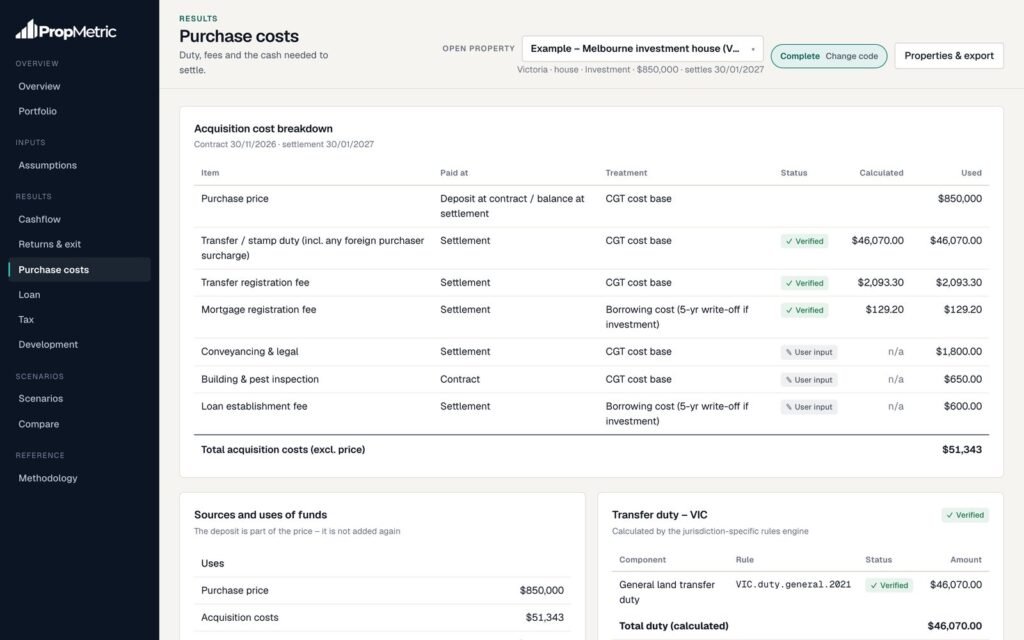
Know what it costs to buy
Stamp duty calculated from the state's rules, registration fees and the other costs of settling, with the total cash you need on the day.
Loan
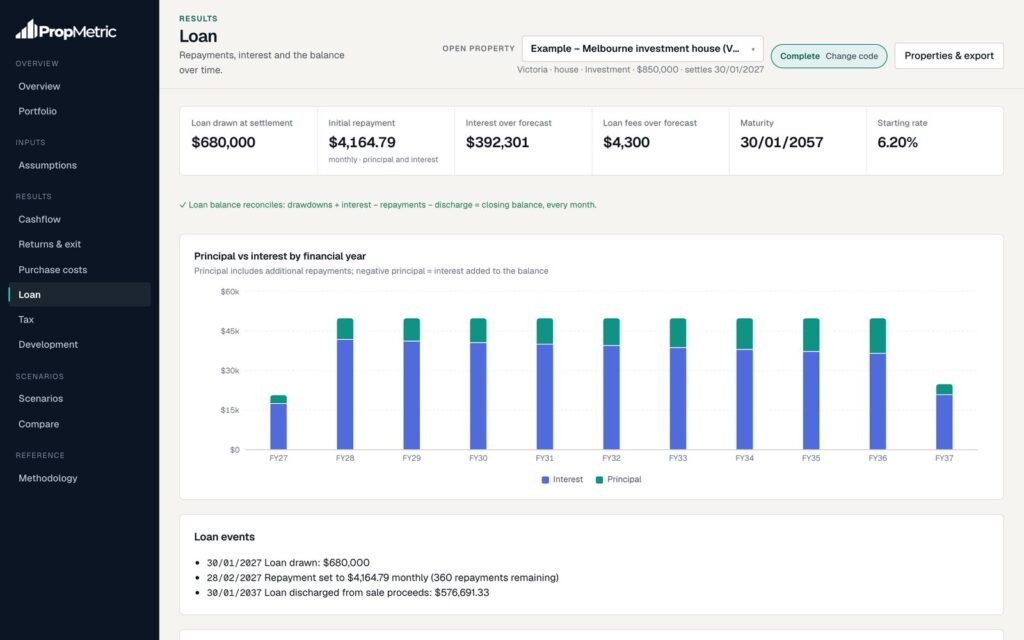
Repayments, interest and principal year by year.
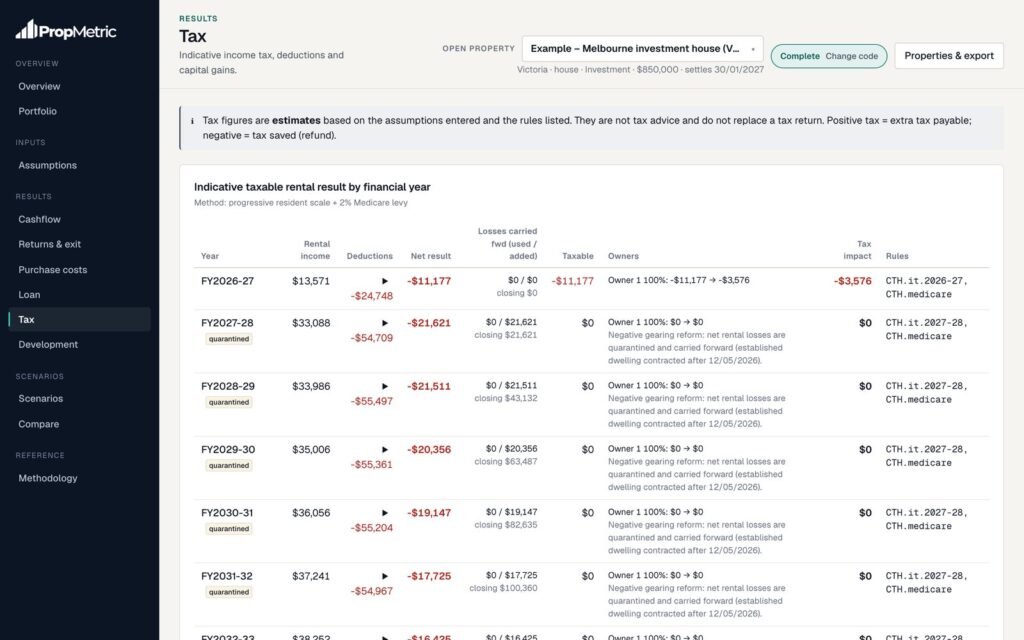
Tax
Indicative taxable result and tax impact each year. Plus
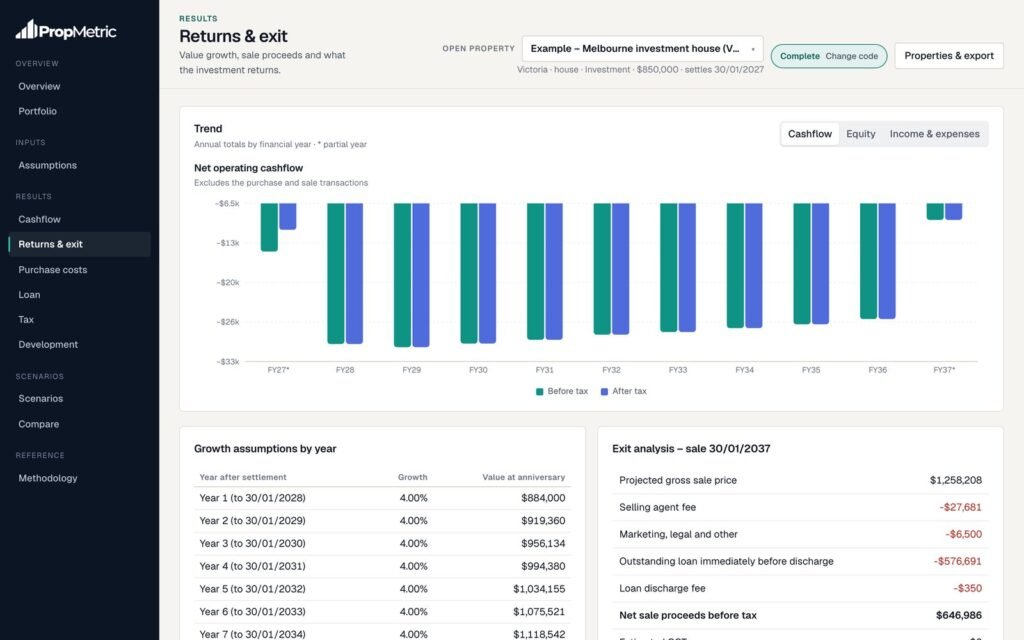
Returns & exit
Growth, sale proceeds and what the investment returns.
What each membership unlocks
Every AnteUp membership includes PropMetric. Your tier decides how much of it you can use. You can change your plan at any time in My account.
Entry
PropMetric Essentials
From $9.99/month
Everything you need to assess a residential purchase.
Pro
PropMetric Plus
From $19.99/month
Essentials, plus the tax and loan detail serious investors want.
Elite
PropMetric Complete
From $34.99/month
Every feature, including development and commercial analysis.
| Feature | EssentialsEntry | PlusPro | CompleteElite |
|---|---|---|---|
| Overview: cashflow, yield, equity and returns | |||
| Cashflow forecasts (annual and monthly) and spreadsheet export | |||
| Stamp duty and purchase costs, every state and territory | |||
| Loan repayments and interest | |||
| Returns and exit (sale) analysis | |||
| Portfolio of saved properties | |||
| Tax estimates, negative gearing and capital gains | – | ||
| Land tax settings | – | ||
| Full loan schedule | – | ||
| Scenarios (what if rates, rents or growth change) | – | ||
| Compare properties side by side | – | ||
| PDF report | – | ||
| Development and subdivision feasibility | – | – | |
| Commercial property and cap-rate analysis | – | – |
Your cashflow always includes land tax, estimated from the state's rules, on every tier. Plus and Complete let you adjust the land tax settings yourself.
How members use PropMetric
Weighing up an investment property
Enter the price, loan, rent and costs to see the monthly cost of holding it, the yield, and what it could return over 5, 10 or 15 years.
Buying your next home
Work out stamp duty, the cash you need to settle and your repayments, then model renting it out later if your plans change.
Comparing two properties
Save several properties and compare them on the same measures, or test how each one copes if interest rates rise or rents fall.
Planning a development
Model a knock-down rebuild or subdivision: costs, funding, timing, sale or retention of each dwelling, and the margin.
Getting started
- 1
Choose a membership
Entry, Pro or Elite, billed monthly or annually.
- 2
Get your access code
It is in your welcome email and on your My account page.
- 3
Open PropMetric
Go to propmetric.au and enter your code. It works on any computer, tablet or phone.
Questions
Is PropMetric financial advice?
No. PropMetric is a modelling tool. Its results are estimates based on the assumptions you enter and on published rates and rules, and they may be incomplete or out of date. Check important figures independently and get advice from a licensed professional before making a decision.
Where is my information kept?
The properties you enter are saved in your own web browser on the device you use, not on AnteUp's servers. You can export a backup file and import it on another device.
Which states and territories does it cover?
All of them: New South Wales, Victoria, Queensland, Western Australia, South Australia, Tasmania, the ACT and the Northern Territory.
Can I change my PropMetric level?
Yes. Change your membership plan in My account; your new access code applies from your next renewal, when the plan changes.
Is PropMetric a prize?
No. PropMetric is a membership benefit. It is not a prize and is not part of any giveaway.
PropMetric provides general information only. It does not take into account your objectives, financial situation or needs, and it is not financial, tax, legal or credit advice.